Don't Run Your AI Agent on Your Main Machine
Giving an AI agent access to your laptop is a real security risk. Learn why a separate server helps, what you must prepare, and how AgentAura guides the installation.
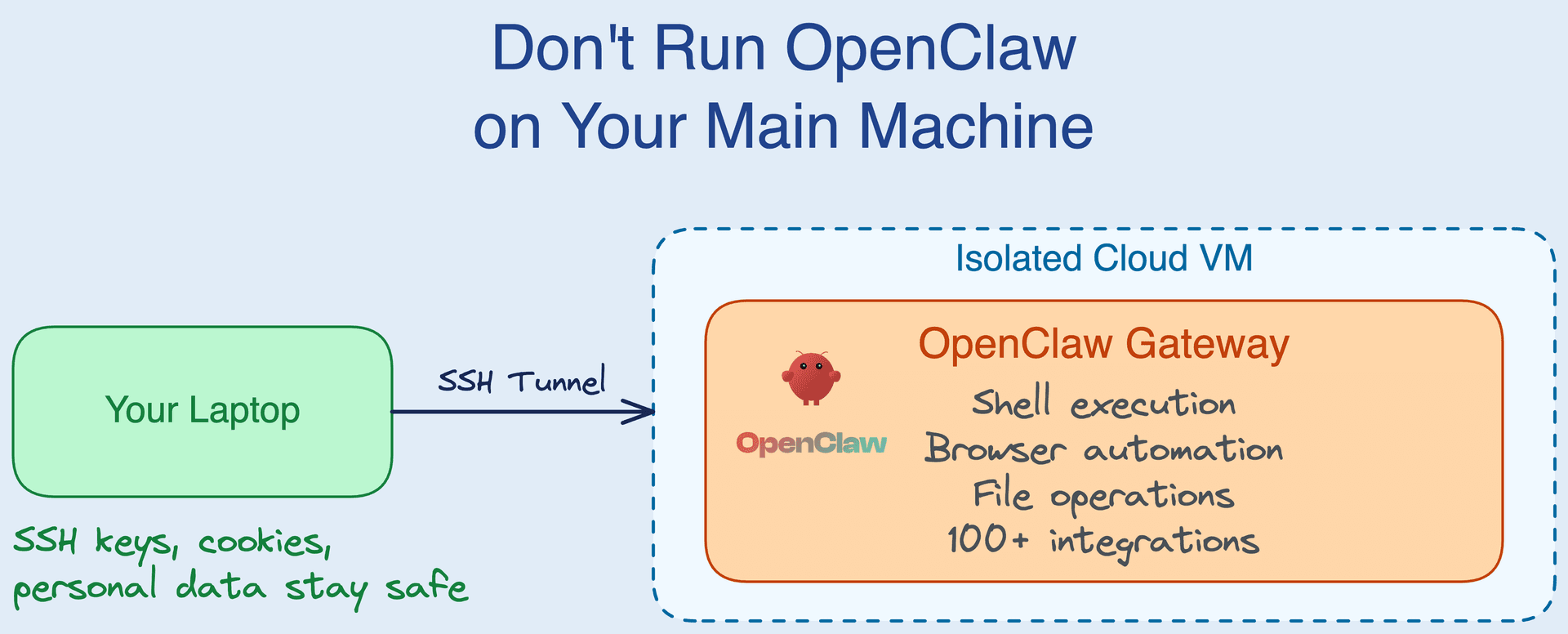
Don't Run Your AI Agent on Your Main Machine 🛡️
AI agents are genuinely useful now — they read your messages, browse the web, run commands, and act on your behalf. But that usefulness comes from access, and access is exactly what makes running one on your personal laptop a bad idea.
This post is about a simple principle: give your agent its own server, not your main machine. It also explains how AgentAura guides the runtime installation after you prepare a compatible Linux server.
⚠️ Why Not Your Main Machine?
An AI agent is only helpful because it can do things. To do things, it needs roughly the same level of access you have. On your personal machine that means the agent can:
- Execute shell commands as your user
- Read SSH keys,
.envfiles, and browser cookies - Send messages and call APIs using your credentials
- Install software and change system settings
Now add prompt injection — a malicious instruction hidden inside an email, a web page, or a document the agent reads. There is still no reliable defense against it. A single poisoned input can turn all of that access against you, on the machine that holds your entire digital life.
The fix isn't to make the agent less capable. It's to move it off your personal machine so a bad day is contained.
🏗️ Your Isolation Options
| Option | Pros | Cons |
|---|---|---|
| Docker on your laptop | Easy, partial isolation | Still your machine; container escape is possible |
| Dedicated hardware | Full physical isolation | Expensive, and you maintain it |
| A private cloud server ⭐ | Strong separation and flexible sizing/location | You provision, secure, pay for, and maintain it |
A private server in your hosting account can provide useful separation: the agent gets its own environment and your laptop keeps unrelated data off that server. You remain responsible for choosing, provisioning, securing, paying for, and eventually terminating the host. AgentAura guides installation of the supported agent runtime; it does not purchase or create the server for you.
☁️ Guided Installation with AgentAura
AgentAura is a cross-platform app that connects to a compatible public Linux server you have already created with a hosting provider. You provide administrator SSH credentials and your AI model key; AgentAura validates the connection and guides installation of its supported runtime. The hosting provider bills you for the server, and the AI provider you choose processes model prompts and responses under its own terms.
How it works
- Download & sign in — install AgentAura; verified sign-in is required before installation.
- Prepare a server — create a compatible public Linux server with your host, choose its size and region there, and keep administrator SSH credentials ready.
- Connect the server & model — enter the server details and your own AI model credentials. Your selected model provider processes prompts and responses.
- Install the runtime — AgentAura validates the connection, installs supported components, and runs health checks. Timing varies with the server and network.
- Chat and maintain — use AgentAura to connect to the agent while you continue managing the host's billing, security, operating system, and lifecycle.
AgentAura automates supported runtime steps, but your host or server configuration may still require its console or SSH.
🔒 What You Actually Get
- 🔐 A separate server in your hosting account — its isolation and access depend on how you and your host configure it. AgentAura uses platform services for installation/connectivity, and your selected AI provider processes model requests.
- ☁️ Bring your own server — use a compatible public Linux server you create with the host of your choice. The account, bill, region, specification, security, and lifecycle remain your responsibility.
- 🔑 Bring your own AI key — use a supported model provider. The provider processes prompts and responses under its terms; AgentAura does not add a token markup.
- 💾 Optional backups — after you connect supported storage, you can sync chat history and media. Backup coverage and retention depend on your configuration and storage provider.
- 🎛️ Separate controls — AgentAura can manage the agent runtime. Deleting an agent in AgentAura does not cancel or destroy the server; terminate or reset it separately with your host when needed. Administrator access depends on your host and credentials.
Under the hood, AgentAura installs a private agent runtime (Node.js 22 + Nginx + firewall) on your server and connects the app over a secure HTTPS/WebSocket gateway authenticated by your on-device key.
✅ What Isolation Buys You
- 🔐 Separate credentials deliberately — upload only the credentials the agent needs; unrelated laptop secrets do not need to be copied to the server
- 💥 A smaller potential blast radius — separation can reduce impact, but the result still depends on host, server, network, and credential configuration
- 🚫 Less agent software on your laptop — the runtime runs on the separate server, while the client connects through the configured gateway
- 🧹 Two-part cleanup — remove the agent in AgentAura, then separately terminate or reset the server and storage with the relevant providers
- 💰 Provider-dependent cost — hosting charges vary by host, specification, region, traffic, storage, and taxes, and are paid directly to the provider
🎯 Conclusion
AI agents are worth running — they're one of the first genuinely useful applications of this technology beyond demos. But the security tradeoffs are real: prompt injection is unsolved, and an agent is only as safe as the machine you give it.
So don't give it your main machine. Prepare a compatible Linux server with the host you choose, then let AgentAura guide installation and connection using your model credentials. You remain responsible for the server and its provider account.
Questions? Contact us at service@allianceinterstellar.com.